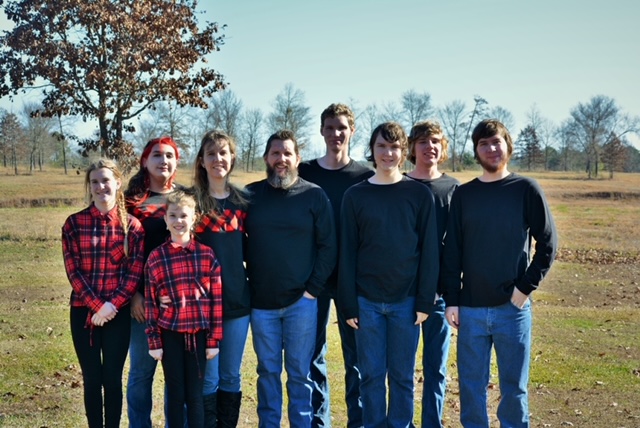
Our Family

Our Family

Sunday, September 16, 2012

Schoolhouse Review Crew: Family Time Fitness

Photobucket


I admit that I never really thought too much about adding a P.E. program to our homeschool.  We spend a  lot of time outside playing and the children ride bicycles and play soccer.  I really thought that was enough.  But, as my oldest got a little older and playing outside was not something she did anymore and after I never got back in the habit of regular exercise after I was pregnant with our 7th child, I started thinking we needed to be a bit more deliberate in our exercise.


Family Time Fitness has developed a Fitness For Homeschool Curriculum that allows parents to teach Physical Education without any previous knowledge.  Their program has been designed to fit every age and ability level in a budget friendly manner.  It was written with grades K-8th grade in mind.  They created their program to " maximize the benefits of spatial awareness, body awareness, environmental awareness, enhanced neurological development, mind-body coordination, stress reduction, social engagement, poise and confidence."  Some solutions this curriculum can help with include:

• Improvement of gross motor skills
• Childhood obesity prevention
• Diabetes prevention
• Weight management
• Develops self-confidence
• Increases energy and focus for academic studies 


 The curriculum is customizable, easy to follow, needs only minimal preparation time, and does not require a large investment in equipment.  The program includes 260 lessons and is designed to take approximately 30-45 minutes a day for at least 3 days per week (although 5 days is recommended.)  One curriculum can be used for all of your children. The curriculum includes:

Start Up/ Training Guide- Full of information for parents including an introduction to physical education, information on what to expect from the program, safety information, tips for adding it to your curriculum, and equipment information.

Lesson Plans- In PDF Format, each of the 260 lesson plans includes a list of supplies, warm up, activity, cool down, and outdoor activity.

1 page summaries- Each lesson is summarized in one page for printing and portability ease.

Video Demonstrations- Each exercise has a video demonstration showing real children doing the exercises.

Assessment Tools-tools to track basic fundamental movements plus downloadable food logs and meal planners.

Encouragement Emails-reminder emails every week for the first year to keep you motivated including nutritional and fitness tips.

Online Webinars-access to online webinars for further in depth instruction.

You can view the scope and sequence by clicking here.

The Entire Fitness for Homeschool Curriculum costs $57.  They also offer a Platinum Package   which includes: Core 1 and 2, Basketball Module, workbooks for K-5th grade, and a one year subscription to Home Educating Family Magazine for $137.


We have been having a blast with Family Time Fitness!  Everyday for about 30 minutes after morning chores it is the first thing that we do.  Exercise has really been a great way to start our school day.  I love that it is a program we all can do together as a family.  It is very easy to use.  A quick check before starting to see what supplies we need for the day is the only advance preparation I need to do.  If there are new exercises that we haven't done then we view the video that is linked in the lesson plans.  There is a large variety of  activities with some being easier to complete indoors and special activities listed for outdoors.  The children enjoy the exercises because they are fun and have great names.  What little boy doesn't enjoy exercises like superman, monster walk, or light saber?  I will admit that I was pretty sore the first week using muscles that haven't been used in awhile, but it didn't bother the children at all.  I think it is really sweet when they show each other (or me) how to do the exercises.  I have never hula hooped before Family Time Fitness, and Christian showed me how and told me to keep practicing and soon I will get it!


Family Time Fitness does not require a lot of expensive equipment.  We needed  jump ropes (I got on clearance for .50 each), hula hoops ($3 although I hear Dollar Tree has them for $1), playground balls (we had a few but got a great deal for several more at a yard sale!), bean bags (we used beanie stuffed animals instead of buying them), carpet squares (I used felt squares we had), cones (we used rocks.)  We have also needed something to measure distance and a stop watch or stop watch feature on a phone or electronic device.


An exercise mat might be helpful depending on what type of floors you have.  We have foam mats over our tile floors that makes a soft place to exercise.


Family Time Fitness is a great way for us all to exercise together and get our blood flowing before starting our school day!

To see what other crew mates had to say click here.

Disclaimer: We received a complimentary PDF download of the Fitness for Homeschool Core 1 Curriculum for the purpose of writing a fair and honest review.  I received no other compensation.


Photobucket

Saturday, September 15, 2012

Homeschool Art Class 9/14/12

Our first homeschool Art Class of the 2012/2013 school year was yesterday.  The children have really missed going to class and every time we have driven by the art center have asked when we were going back.  The big day was yesterday and the children had a great time. They were very happy to see their teacher again.  For the next couple of weeks they are learning about and recreating cave drawings.  Many people/curriculum refer to these as "prehistoric" but the children know that their can't be anything before history and all things were created by God all at one time, and although some people did live in caves, it is not the same as the evolutionary "cave man."  They enjoyed the activities they did to recreate their own cave drawings. They have a homework assignment to visit a website, view the different cave drawings, and duplicate one to bring with them next week.   I did get some pictures, but have to admit that after I finally found my camera under the couch I forgot to charge the battery!  I will do better and get pictures of all of their creations next week.  We are looking forward to another great year at Art Class!


Wednesday, September 12, 2012

2012 County Fair

This week is our local county fair.  The children work so hard on their projects all year long and look forward to entering their exhibits every year.  I let them choose what they would like to enter, but I do limit them to 5 items not counting animals.  Here's what the children entered this year.

Chelsea entered 2 dresses which both got 1st place.  She also entered a fleece tie blanket and got first place.  Her rainbow painting that she made in Art Class last year also got first place.  Her painted flower pot from 4 H camp got second place.

Chelsea

Chelsea

Chelsea

Chelsea

Chelsea

Nick's Lego Set, melted crayon art from Art Class, sand art from our last club meeting, and lion pillow from Bible School all got 1st place.  His popsicle stick house from Art Class got 2nd.

Nick
Nick, Alex
Alex's Lego Set also got first.  He made a fleece tie Razorback Blanket that also got first.  The terrarium that we built during one of Lowe's free workshop for kids that he put a cactus in also got entered and won first.  He was going to enter a wooden airplane that he built and painted but it broke on the way to the fair.

Alex

Alex

Anthony did not want to enter anything but chickens.

Christian entered his lion pillow, and melted crayon drawing and got 1st on both.
Nick's, Christian, and Lily's
Lillian entered her crayon drawing, lion pillow, and sand art and got 1st for all three.

Nick and Lily
Nick, Christian, Lily
Our New Zealand male rabbit was entered in Alex's name even though they all take care of it together.  Snow got 1st place.
The 5 oldest children showed chickens this year.  Our Poultry Chain chickens are a cross breed between a white leghorn and a Rhode Island Red.  Each child has to show 3 chickens and they are judged as a group for the color of their feet, size of their comb, and how big an egg they are laying.

This year we have had a bit of a problem with our chickens at the fair.  Our chickens have been pecking at each other to the point that one of them is not going to make it.  We gave them an electrolyte in their water that is supposed to help with this problem.  Even with having 4 injured chickens, the children still did well with the judging.  We ended up with one 1st place, three 2nd places, and 1 third place.


While we were waiting for the poultry judging, we went and looked at all of the booths.  Arkansas Game and Fish was there with a baby alligator.  Alex and Emmie both held it.  When the alligator moved, it started Emmie and she let it go.


I am very proud of my children and all of their hard work this year!

Monday, September 10, 2012

Schoolhouse Review Crew: Speekee

Photobucket


 I cannot imagine a better, easier, more fun way for young children children to learn Spanish!   We loved Speekee when we reviewed it before and with the addition of the Fast Track Lesson Plans I couldn't wait to have an opportunity to review the program again.  I didn't tell the children we were reviewing it again.  Instead, I logged in to our account and started playing the first video one afternoon and everyone stopped what they were doing and yelled, "Speekee is back!"  They were so excited!  So what exactly is Speekee?


Speekee is a Spanish learning course for young children (ages 2-10.)  The videos use real Spanish children in real locations and teaches essential vocabulary.  The main character is an adorable puppet named Speekee (pictured above.)  The videos are spoken entirely in Spanish, but there is captioning in English.  Each episode has cute puppets, fun songs, and an interesting location to visit.  Speekee was created by specialist linguists and musicians and uses a spiral learning method with lots of word repetition built in to each video.

There are 10 different episodes of Speekee that range from 16-20 minutes each.  It is recommended that you start out watching the videos in order.  The 10 different videos are:

El parque
El cafe
La casa
El zoo
La clase
El mercado
La estacion
La playa
El jardin
La fiesta

Here is a short montage of clips from El zoo

Speekee is more than just videos.  With a subscription to Speekee, there is a full 40 weeks of lesson plans to go along with the episodes of Speekee.  Each week Speekee FastTrack gives you 4 activities with corresponding video clips, worksheets, and other downloads including flashcards.  Taking just minutes a day to complete, these fun activities will help your child with a greater understanding of the Spanish language.  You can access FastTrack with your Speekee subscription via the website, or sign up for weekly emails.

To give you an idea of how the FastTrack lesson plans work,  I thought I would give  brief description of the first week's lesson plans here.  Day one, you would watch the video of El parque.  Day 2's activity is to make a sock puppet of Dino and Lupi.  Day 3 your child draws happy and sad faces using green, yellow, and red.  Your children practice the phrases Muy Bien and Que tal by holding up the appropriate faces.  On Day 4 they sing the How Are You song with their puppets.


You can try Speekee for 2 weeks for free.  A monthly subscription to Speekee TV is $7.50 with no minimum to buy or you can pay $60 for a full year.   Subscribe by clicking here.  Speekee is also available on DVD.

Young children have an amazing capacity for learning languages, and when it is in a way that they enjoy, it is natural and easy for them to do so.  Speekee is a fun immersion into the Spanish language.  We love the puppets and the catchy songs that yes I find myself singing at the oddest times during the day.  I love that it uses real children doing real life fun kid activities.  The videos are long enough to teach their subject, but not too long that the children get bored watching them.  My children love El zoo and La playa the most and will watch the videos over and over again.  It is so sweet to hear Emelia (18 months) asking for Speekee and watching my 5 year old and 3 year old pretending to be Dino and Lupi.  They are learning Spanish and having a great time doing it!  I confess I have even used Speekee as a "baby sitter" one rainy day while I needed to fix supper and keep the children occupied.  I let them choose their favorite episode and I didn't hear a peep out of them!


I am very impressed with the FastTrack curriculum to go along with the videos.  It is a great mix of worksheets and hands on activities perfect for that pre-k to age 8 or 9 (depending on the child) age group.  The hands on activities do not require a lot of planning from mom and use easy to find supplies that you probably already have around the house.  Each activity only takes a few minutes and they are fun!


One thing you may be interested in knowing about Speekee is that it does not teach Latin American Spanish, but Spanish from Spain so a few phrases may be different if you are used to Latin American Spanish.  At this time, there are only 10 episodes of Speekee but we are definitely hoping they will make more.

To see what other crew mates had to say click here.

Disclaimer: I received a complimentary subscription to Speekee in order to write a fair and honest reviewI received no other compensation.


Photobucket

Back to Homeschool Week 3

Our third week went very well.  Our routine seems to be working and allowing me to spend one on one time with each child every day.  The children have made the transition to using Math U See and so far they all like it much better.  The only subject we have not added to our schedule yet is Latin.  I waited to order Latin Alive Book 2 for Chelsea and got it for 25 % off with free shipping from Christianbook.com and it is not here yet.  The boys use Visual Latin, but we have not dived back into it either and probably won't for about 2 weeks.  We have several review items that we are focusing on right now.

To go along with our Apologia Swimming Creatures study, we decided to get a fish tank.  We set it up last week and Friday we went to Walmart and bout 5 Danios, 2 Tiger Barbs, an algae eater, a gold snail, and a Pink Gourami.  So far the fish have provided hours of entertainment for the children.  We also are planning on hatching Triops, and raising a tadpole.

Friday we had a Back to Homeschool picnic at the park.  It didn't last as long as usual because with the heat index it was 106 degrees that day and everyone was soooooo hot!  We had a good time for the time we were there and it was a great way to welcome some of the new homeschooling families.  It is amazing to me how much the homeschooling movement continues to grow, even in a small little town that we live in.  It was wonderful to see, meet, and have the opportunity to encourage new homeschooling moms!

The County Fair starts Monday.  This is one of our busiest weeks of the year and we will be missing school for a few days.  Our Art Classes are starting back up on Friday and the children are very excited about that.  I found my camera (finally!) so next week's post should actually have some pictures in it.  Have a great week!

Saturday, September 8, 2012

Finding A Good Balance With My Struggling Reader

Our house is full of people who LOVE to read!  Art and I both read all of the time and my oldest two children were reading very well by the age of 5.  We read aloud in our house....a lot!  We go to the library weekly.  Our house is full of picture books (both fiction and non fiction), chapter books, audio books, magazines, and e books.  

My Alex (8 1/2) is a struggling reader.  He has been making a ton of progress ever since we started using All About Spelling and All About Reading, a multi sensory approach to teaching reading and spelling.  The use of letter manipulatives and the process of building the words has really helped his brain be able to process the words and read them.  We made it all the way through Level One of All About Reading and Spelling last year and have started working on Level Two of All About Spelling this year and using the readers to go along with them.  But, although he is doing much better, reading just does not come easy to Alex.

One of the biggest things I struggle with for him is that I don't want to kill his love of reading because it is such a struggle. Too often I find myself wanting to read everything to him so he doesn't have to struggle.   I want it to be easy for him!  As parents we have to walk a fine line between letting them struggle and helping out and it can be difficult to find that balance.  

As I try to find our balance, this is what has been working for us.  Alex reads aloud with me everyday out of his All About Reading readers.  It usually takes about 15-20 minutes to do a lesson and 15-20 minutes to read a story.  If it is a day when there is no reading assignment, he chooses one of the older stories we have already done.  When it comes to his Math, I have been sitting with him and instead of reading all of the instructions to him, I have him read them out loud to me (same with word problems.)  If there are words that are more difficult, I encourage him to try and figure it out and then we sound it out together.  I encourage him to read things he sees on television or in the grocery store.  To help reinforce new words, I have been putting them in the Spelling City iPad app and he has been playing games to learn the words.  At the library (and at home) many times he will choose non fiction picture books to look over during reading time.  We fill his mp3 player with audio books so that he can listen to chapter books that are above his reading level (www.booksshouldbefree.com is a great resource for audio books.) 

I am hoping that as his confidence and vocabulary grows, I will be able to encourage him to try and read longer books on his own and focus on one word at a time instead of being overwhelmed by all of the words on the page.  I want him to be able to pick up a book and enjoy it.  I don't want reading to be a delight, not a chore.

So, moms of struggling readers.  Any tips or advice for making reading a delight to your children? 


*links to All About Spelling are my affiliate links and I make a commission for products purchased through those links.  I only form affiliate relationships with companies whose products I use and believe in!

Thursday, September 6, 2012

Schoolhouse Review Crew: Math 911


For 49 years, Professor Weissman has been teaching Math.  Math 911 is for students who believe that Algebra is difficult and a struggle to learn.  Math 911 is an easy and economical solution for Math students.  Math 911 will teach you to absorb Algebra effortlessly.


Math 911 is a simple no frills approach to Mathematics.  There are no games or distracting graphics.  Math 911 is a mastery based program.  No answers are graded as wrong.  Instead, the student continues in the area they are working until they get enough answers correct to show mastery. If the student does not get an answer correct they can see a step by step demonstration of the solution to the problem.

Professor Weismann's software is Algebra In A Flash $49.95.  Plug in your flash drive into any computer with Windows 7, XP, or Vista.  No downloads are necessary.  The flash drive contains a complete Algebra Course, plus bonus topics including: Introductory and Intermediate Algebra, Pre Calculus, Trigonometry, and Introductory Statistics.  Upgrades are free and more topics will be included in future upgrades.  At the time of this posting, there is a homeschool special for $40 off using the code homeschool at checkout.

You can try a complete Introductory Algebra course free with no rebate or credit card necessary.  Go to the Math 911 homepage and download and installation instructions can be found in the sidebar. There are also several free PDF modules available for download.

We received a download version of Math 911.  We used Math 911 to reinforce concepts that we are currently working on in Algebra.  The program gives you the ability to choose your topic and you can work in that area as long as you like.  I really liked that there were no distracting bells and whistles in the Math 911 program.  Students can simply concentrate on their Math problems.  I love that it takes a mastery approach and focuses the student on what they get right and not what they get wrong.  Similar problems are generated when the student gets a problem wrong until they show mastery.  I found that the step by step solutions to every problem was very helpful to pinpoint exactly where you went wrong and prevent the same mistake in future equations.


The software that is used in Math 911 is an older type of software.  The way the page is set up was a little difficult for me.   The problem shows up at the top of the screen, your answer goes in the middle, and your directions are at the bottom.  I found this a bit awkward.  Also when typing in a series of numbers and a mistake was made, I couldn't just go back and fix the mistake.  I had to take off all of the numbers up to the mistake then retype them. 

 To see what other crew mates had to say click here.

Disclaimer:  I received a complimentary Math 911 download for the purpose of writing a fair and honest review.  I received no other compensation.
Photobucket